
Search for articles...
Search for articles...
Detailed description of resource configuration parameters
You can configure resources during the addition process, as well as on the Settings tab for already created resources.
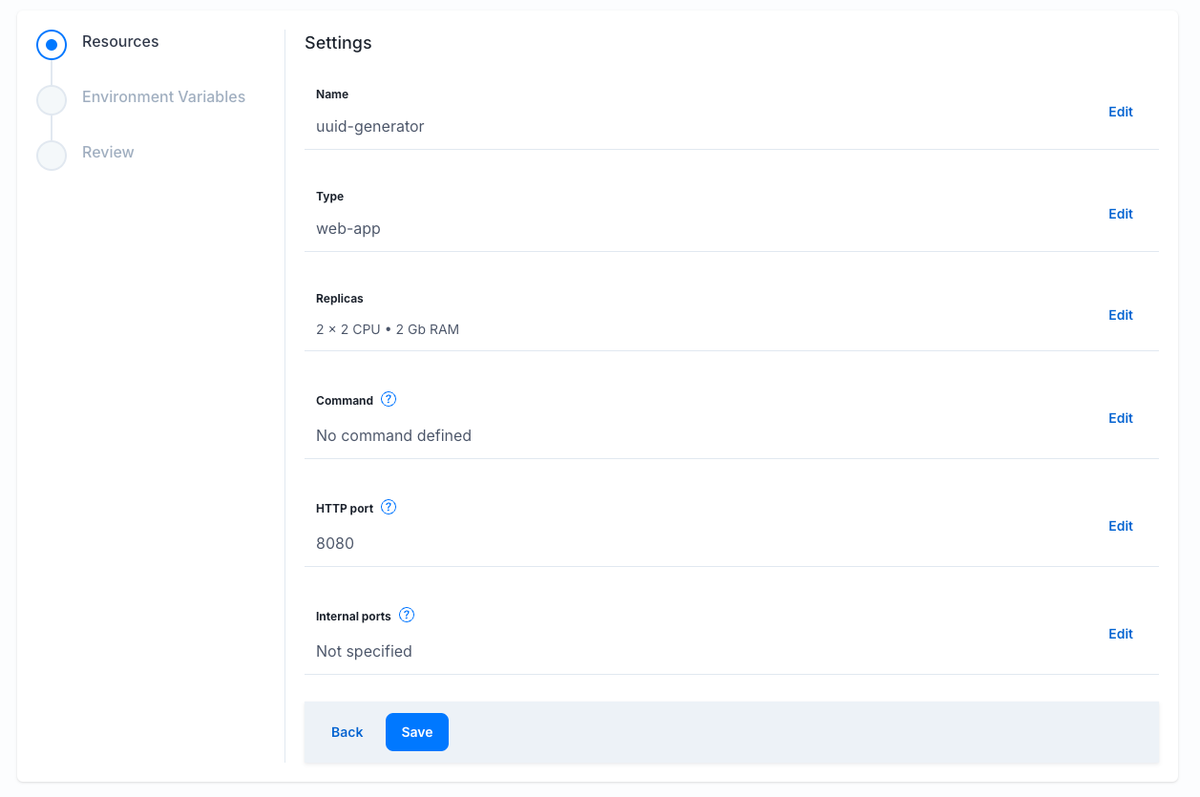
Some parameters are only available for existing resources. When you change the parameters, the resource will be automatically redeployed. If your application has multiple resources, only the one whose parameters you changed will be updated. The others will continue to work as usual.
Name — this is the name of the resource that will be displayed in the resource list. It is used only for the convenience of distinguishing between resources.Type — use this field to define the behavior of the Docker image:HTTP port that can accept requests and return responses.Internal Ports must be configured for correct operation)Replicas — this setting allows you to select the configuration of containers that will be launched: CPU, RAM, as well as the number of these containers.
Please note that cron-jobs do not allow you to specify the number of containers launched, as it is assumed that this is always a single instance.The available configurations also depend on the pricing plan:Command — here you can specify the command that will be used as the entrypoint in the container. You can use one Docker image with different commands to run different resources, such as HTTP API, worker, and cron jobs.HTTP Port (web-app only) — specify the HTTP port that will receive and process HTTP requests.Internal Ports (web-app and worker) — additional ports that will be available for connection within the application (for example, for communication between resources via internal DNS).Schedule (cron-job only) allows you to specify the schedule according to which the container should be launched. Use standard cron syntax. You can learn more about it here.Allow overlapping? determines the behavior of scheduled container launches.