Search for articles...
Search for articles...
This guide demonstrates how to roll back to the previous version of environment variables.
Let's say you have two applications running. You made a mistake when configuring one of them and now want to roll back to the previous version of the environment variables. The NoVPS cloud platform provides versioning of environment variables, allowing you to easily roll back to the desired version.
This guide also applies if you need to roll back to a previous version of the environment variables of any resource.
1. First, you need to go to the NoVPS Secrets section. To do this, select the corresponding item in the left menu and click on it.
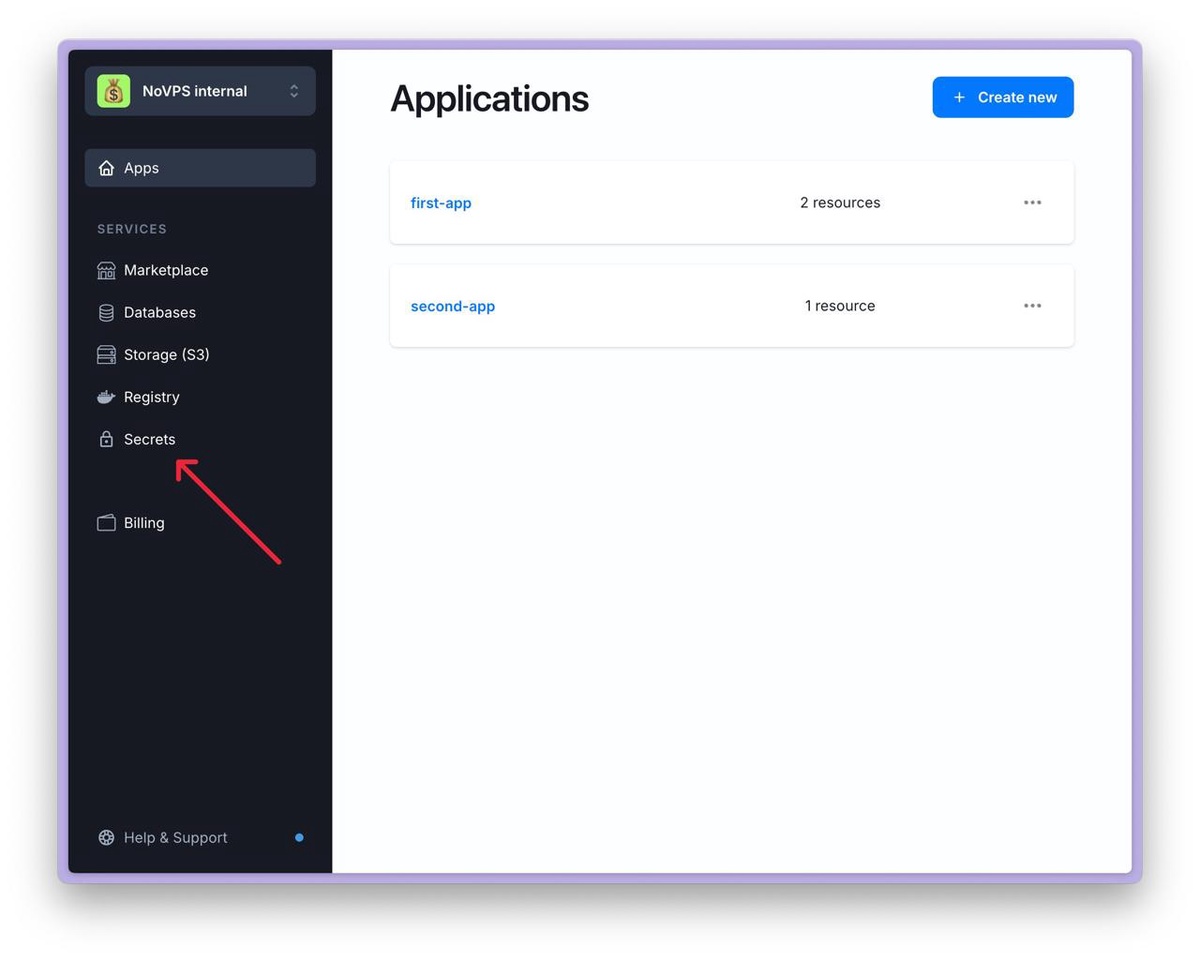
2. You will be redirected to a page with a list of all running applications and their resources.
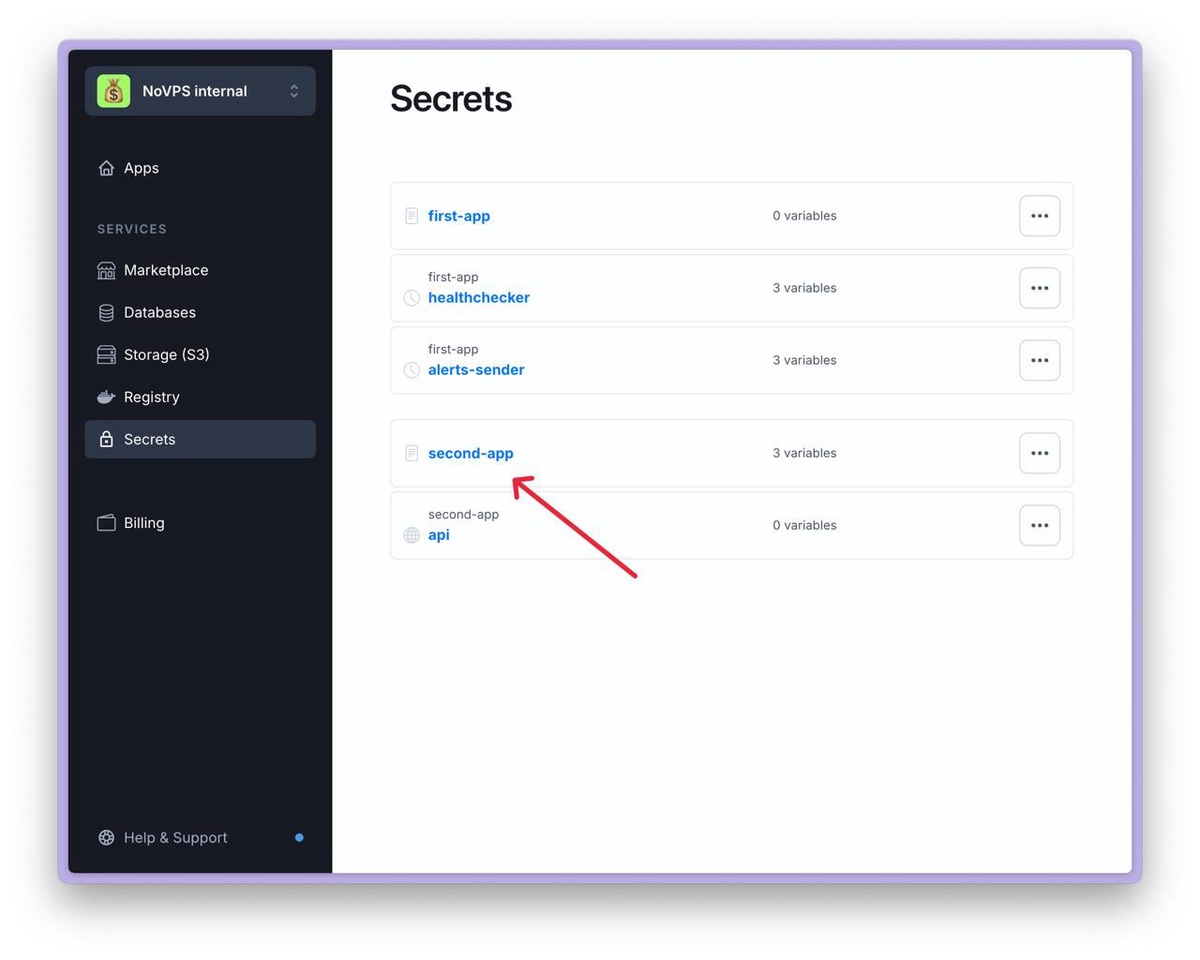
3. Let's say we need to roll back the second-app application to the previous version. Click on its name.
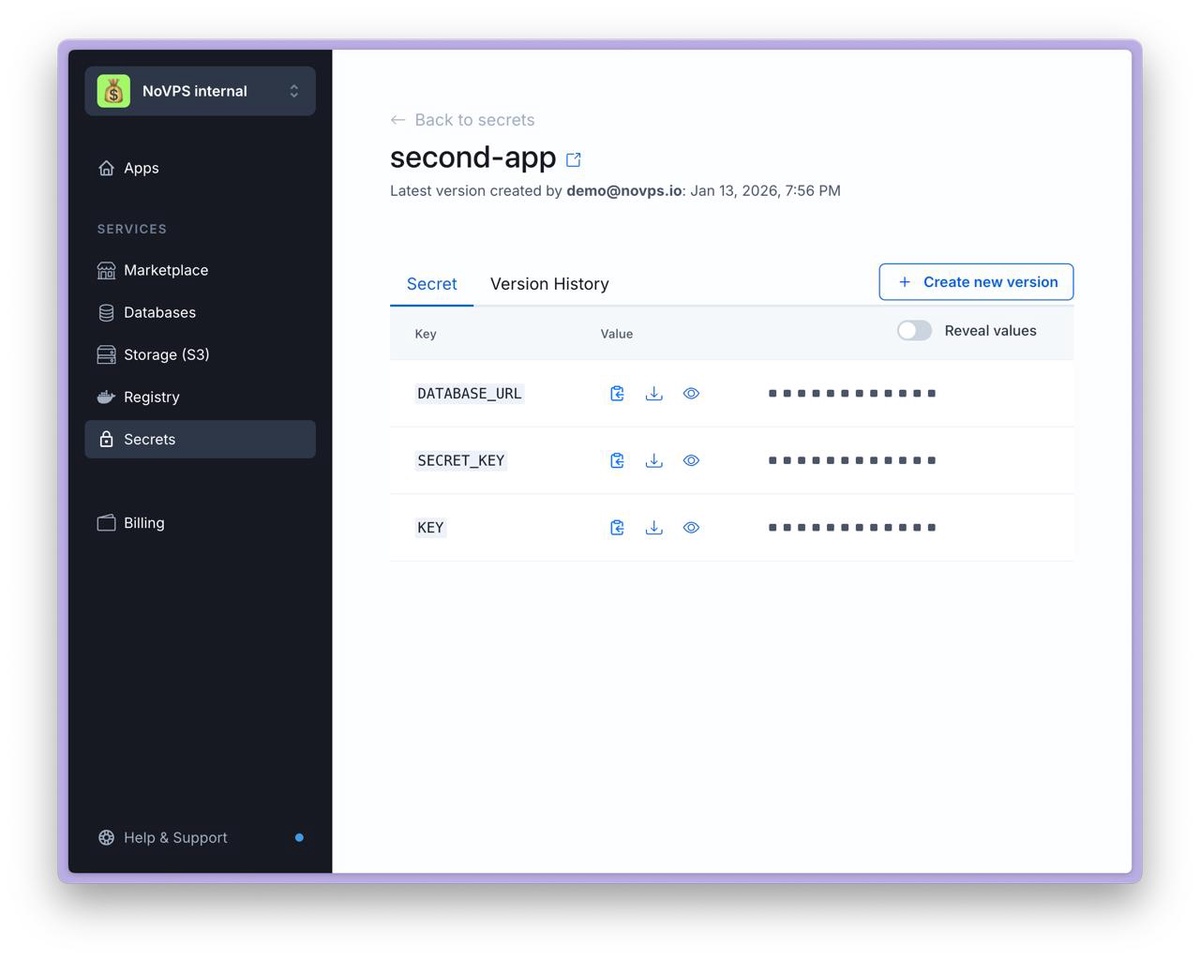
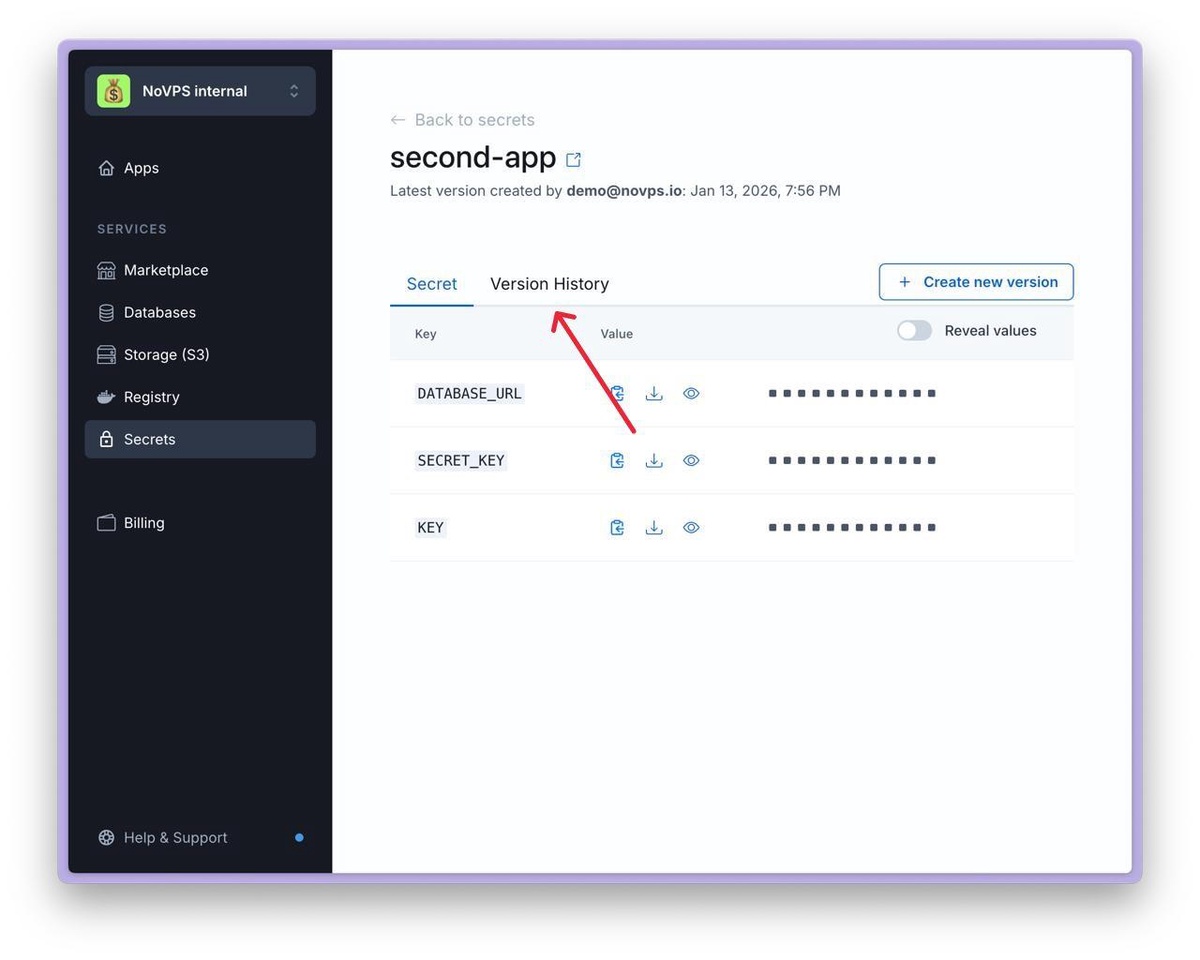
4. A page with the current version of the environment variables for this application will open. You can use the Reveal values switch to make sure that the current configuration is incorrect.
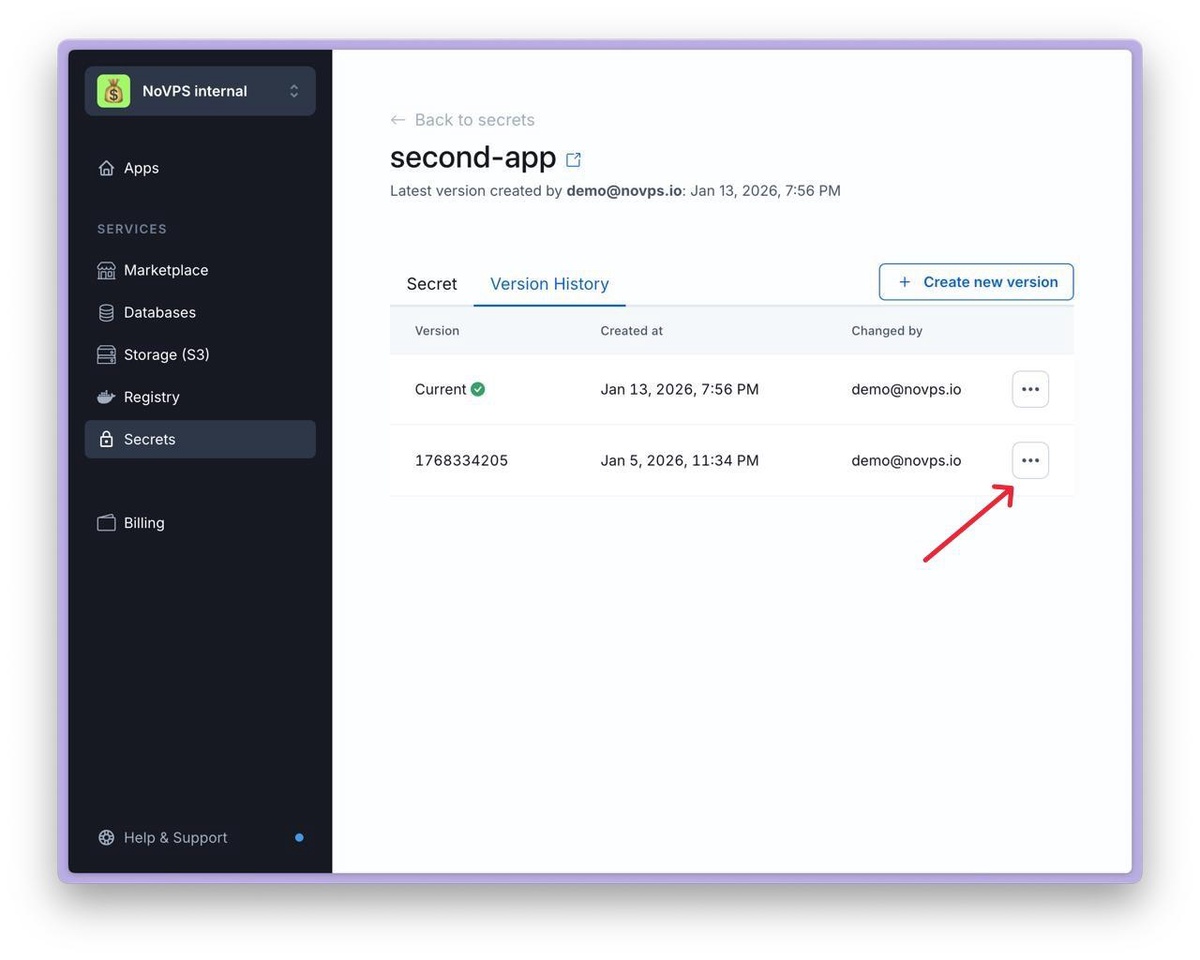
5. Go to the Version history tab and find the version you want to roll back to (you can click on the version name to go to the page containing the list of variables and their values corresponding to the selected version).
6. Once you have found the version you need, click on the button with three dots and select “Create new from VERSION-NAME”.
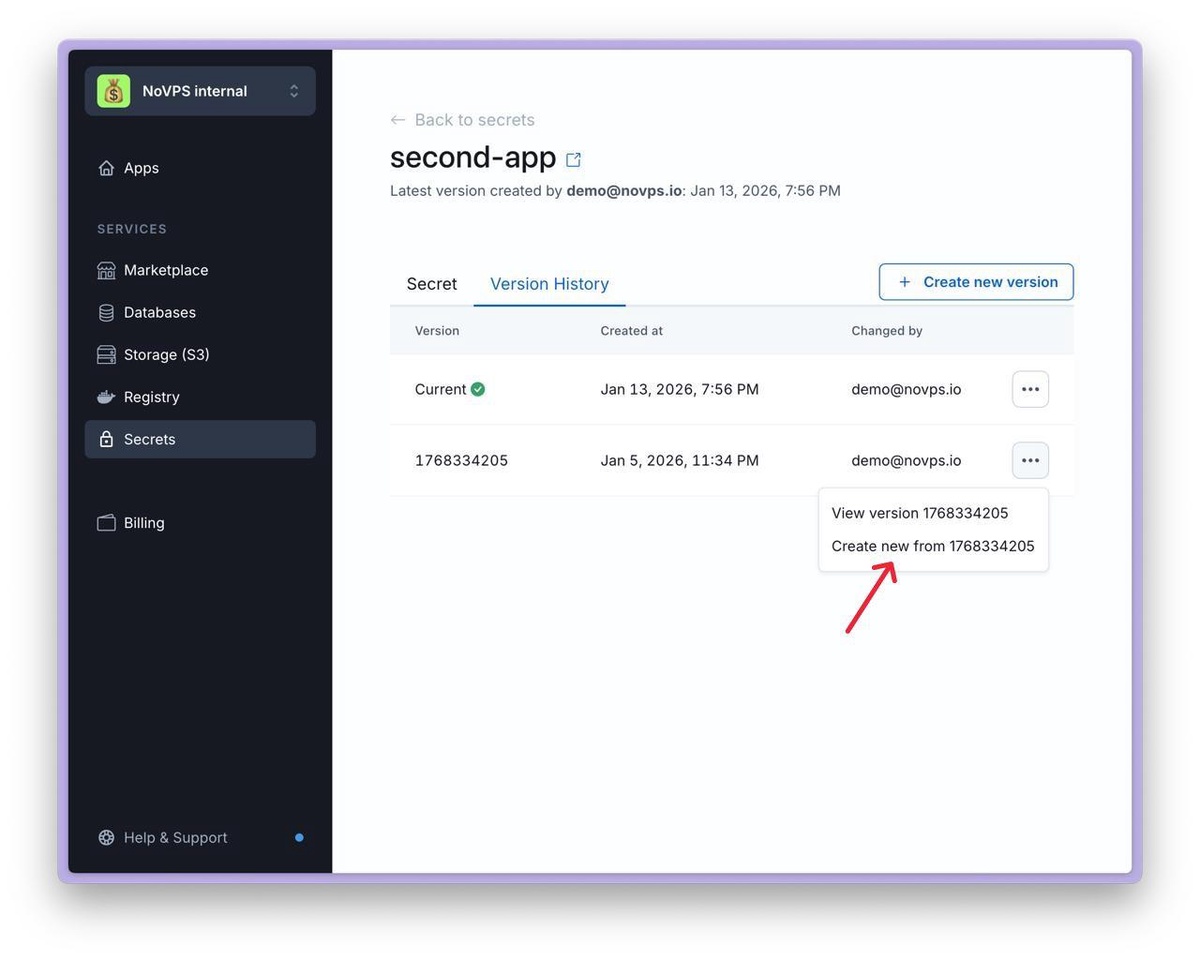
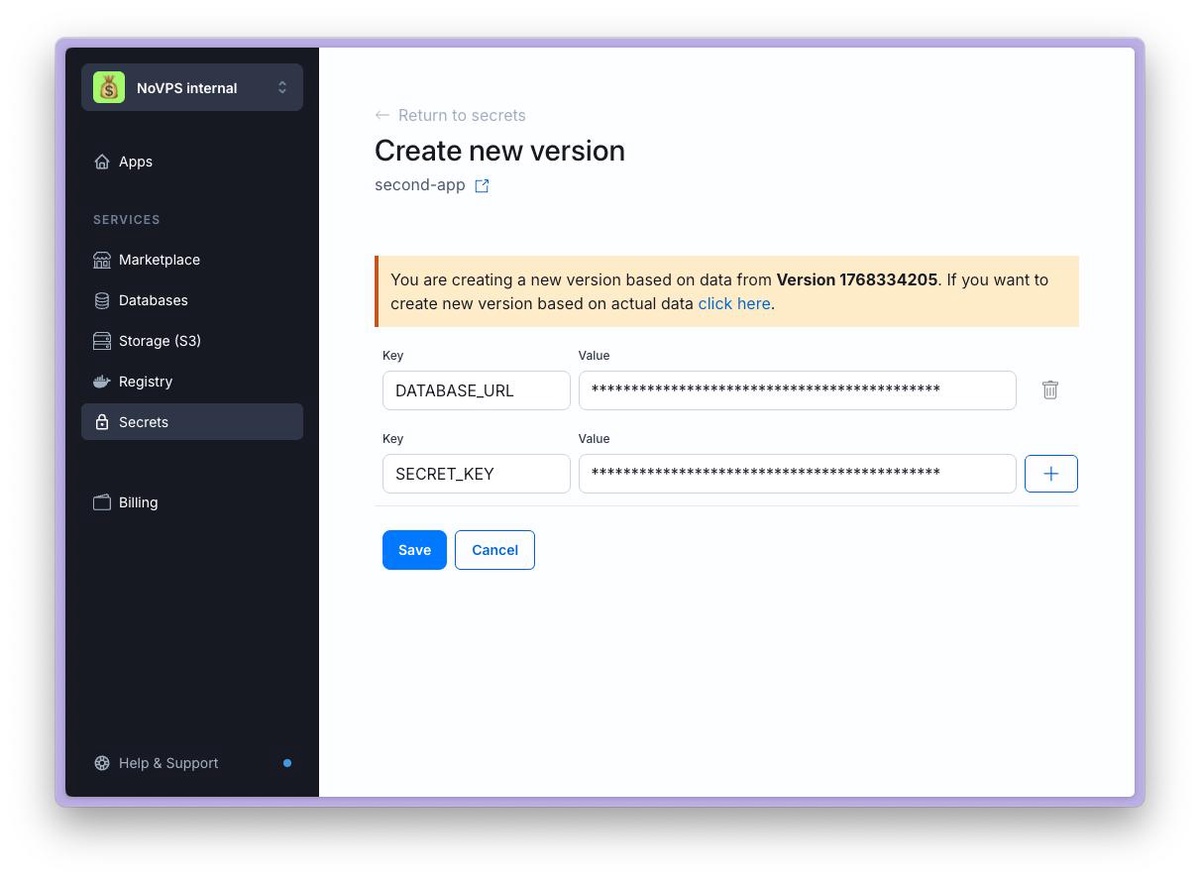
7. A form will open, allowing you to add missing variables or change existing ones. When you have made the necessary changes, click the Save button.