
Search for articles...
Search for articles...
Step-by-step guide to creating a personal access token for use with NoVPS CLI
A personal access token is required to use the NoVPS console client and the cloud platform's public API. Each token is linked to a project and only has access to objects created within that project. If you need to work with multiple projects, you must create a personal access token for each project.
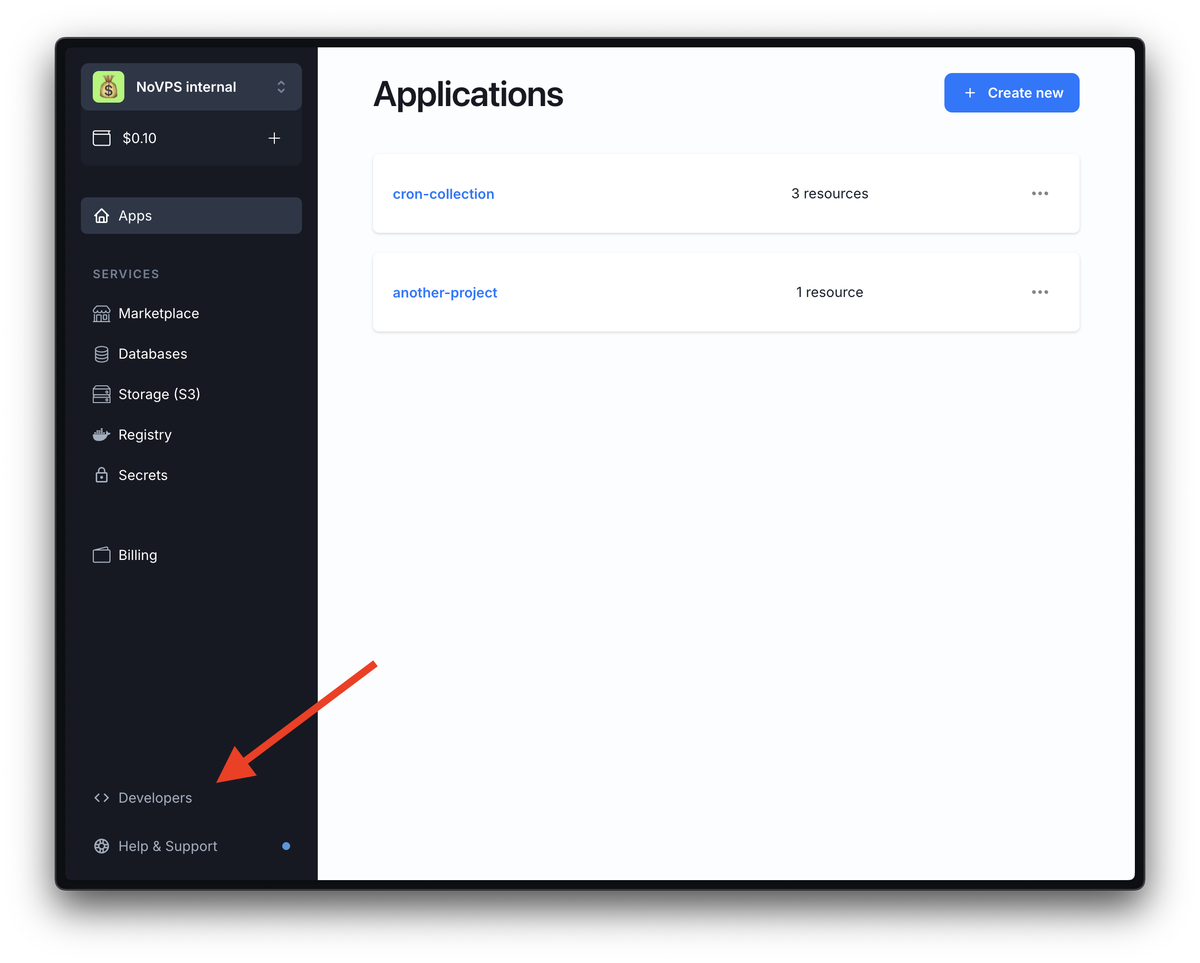
1. To create your first personal access token, you need to go to the NoVPS cloud platform control panel and select Developers from the left menu.
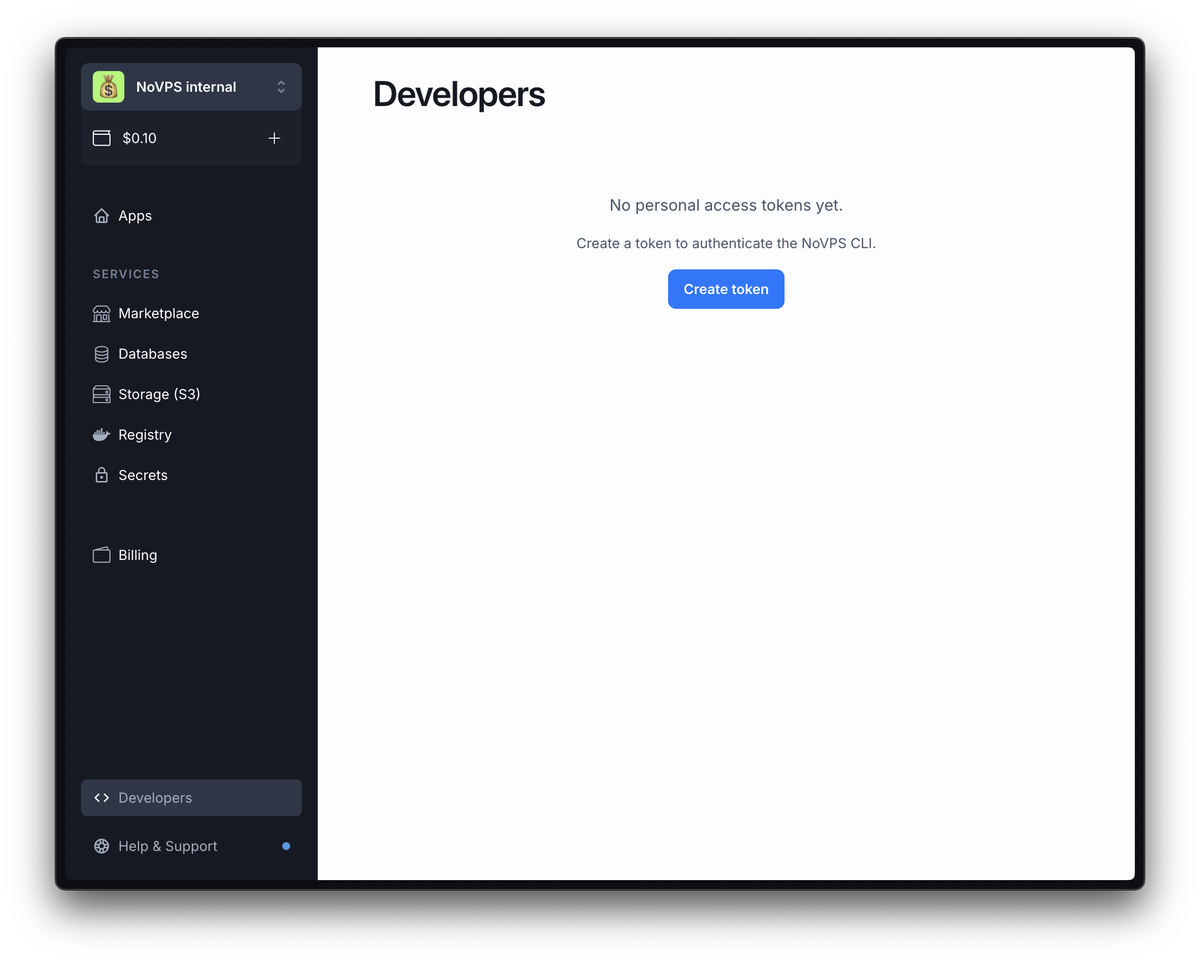
2. On the page that opens, you will see a message stating that you do not yet have any personal access tokens. Click on the Create token button.
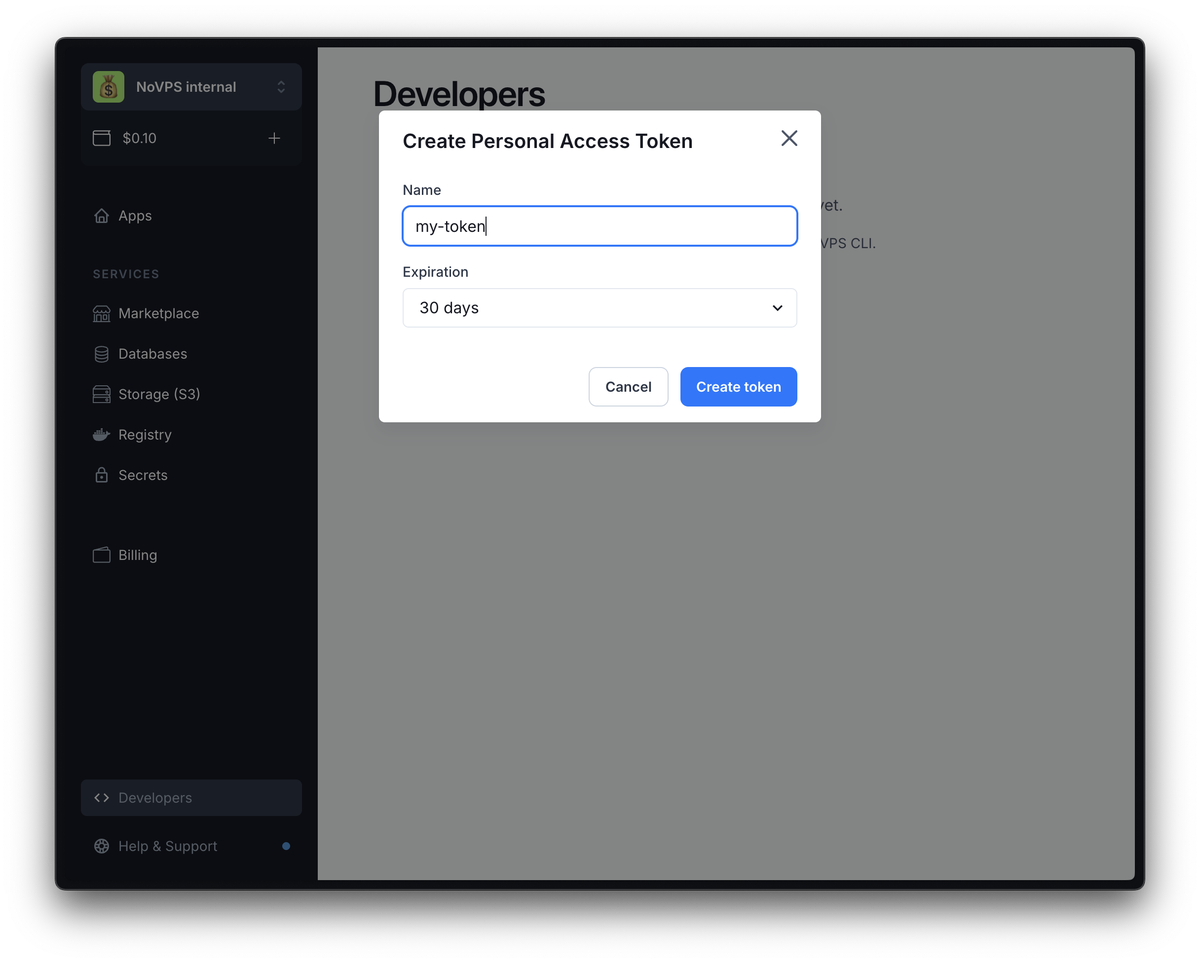
3. After clicking the button, a pop-up window will open containing a token creation form. Specify the name of the token (use a clear name so that you can determine what a particular token is used for in the future).
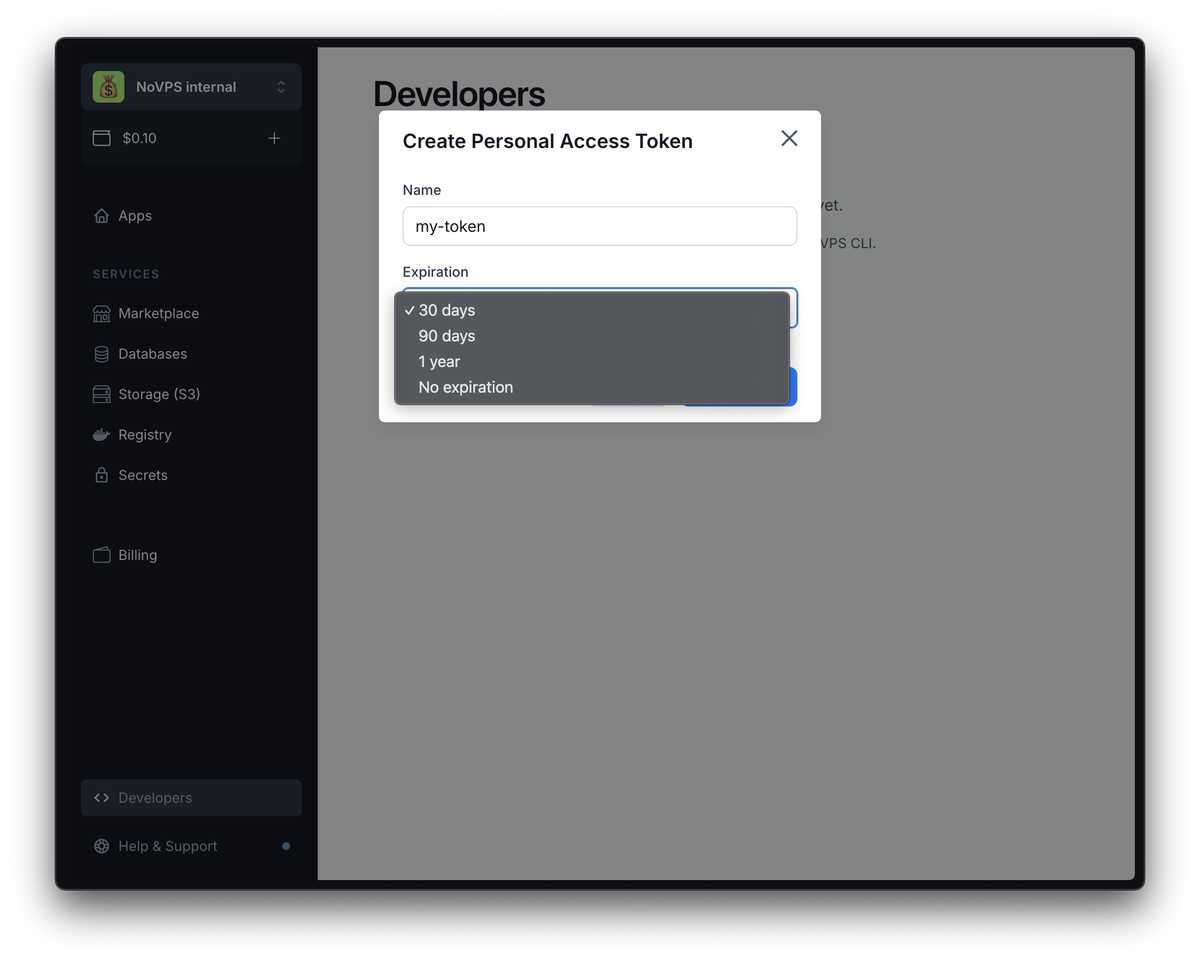
4. You can also specify the token's expiration date. The default is 30 days, but you can increase this period or create a permanent access token. We strongly DO NOT RECOMMEND creating permanent access tokens, as they reduce security.
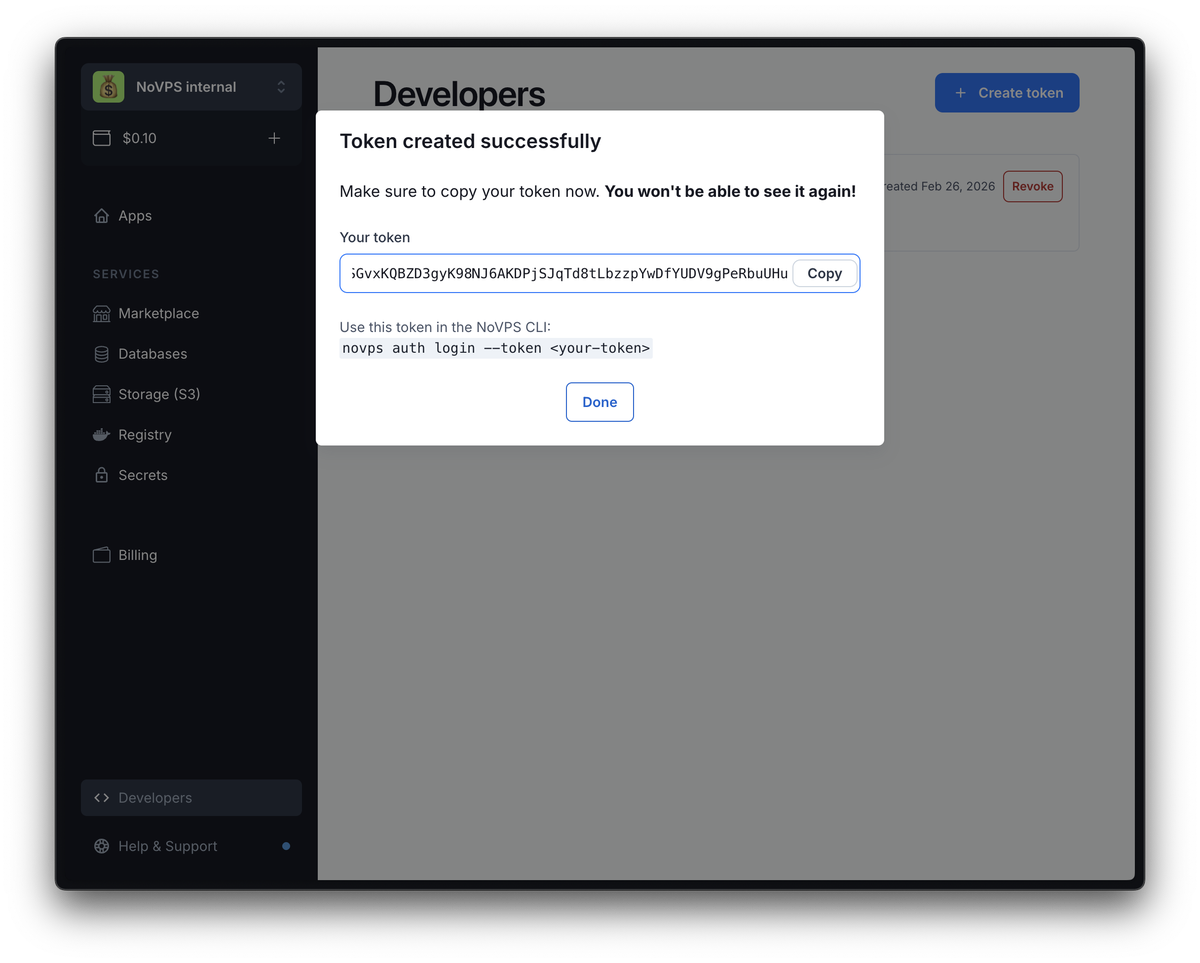
5. After you have specified the name and selected the token's expiration date, click the Create Token button. If everything went well, the contents of the pop-up window will update and you will see the token itself. Before closing this window, be sure to save your personal access token, as you will not see it again.
6. After you close the window, you should see a list of created tokens, which contains the personal access token you just created. Here you can track the date and time of the last use of the token, as well as delete the access token if you no longer need it or think it may have been compromised.
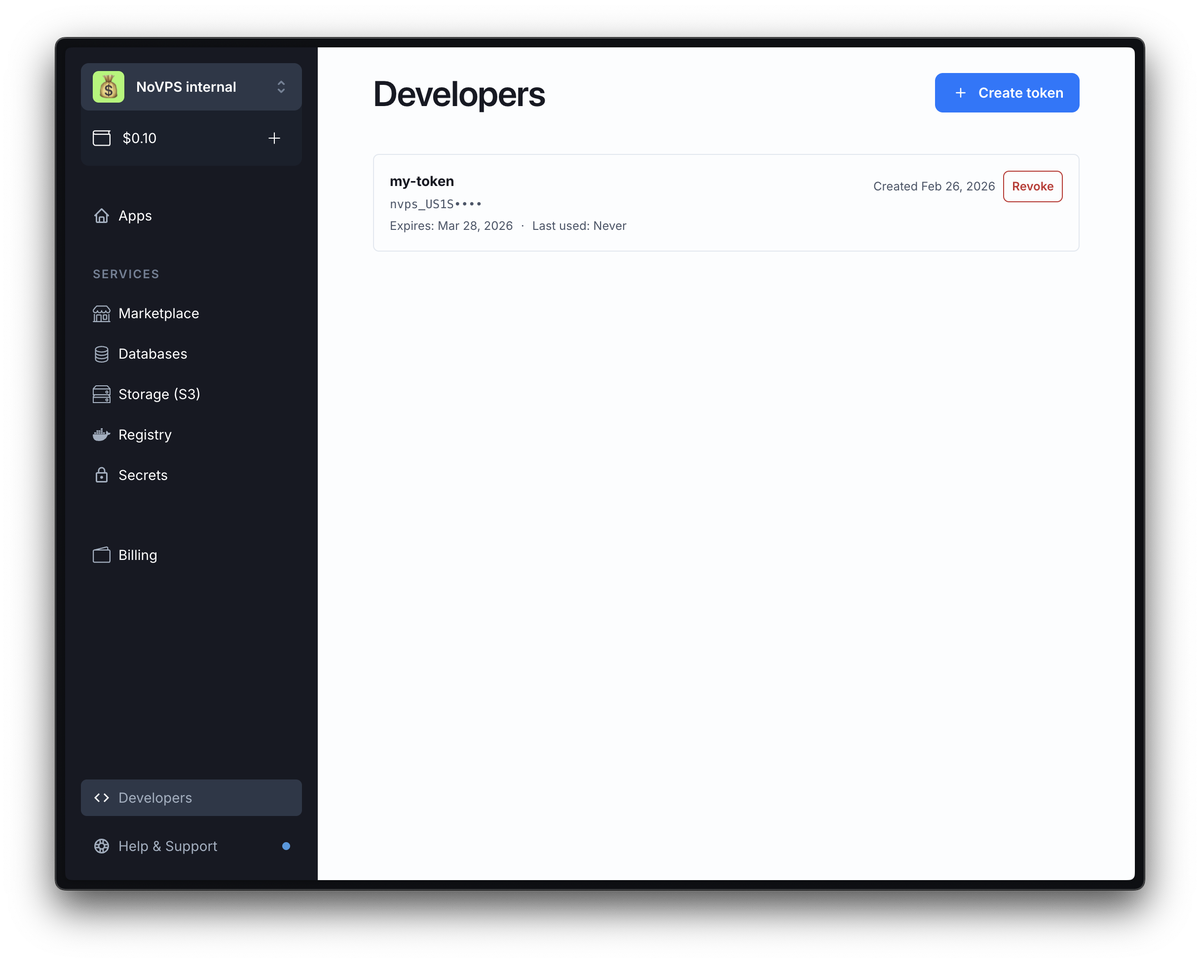
That's it. In this guide, you learned how to create personal access tokens that can be used for authorization in the NoVPS console client or for working with the public API.
Please note that creating perpetual access tokens is not recommended, and you should avoid such situations. If you think a token has been compromised, delete it as soon as possible.